AhsayCBS (DIY)
AhsayOBM Windows Backup Fails: Temp Location Must Be NTFS-Formatted
Product Version
Operating System
Symptom
When performing a MS Windows System or System State backup, the following error message is displayed on the backup client interface, or in the backup report:
| No. | Type | Timestamp | Log |
| * | ... | ... | ... |
| * | info | ... | [ ... ] "The operation ended before completion." |
| * | info | ... | [ ... ] "A backup cannot be done to a remote shared folder which is not hosted on a volume formatted with NTFS/ReFS" |
| * | erro | YYYY/MM/DD hh:mm:ss | [ ... ] "[Error]" |
| * | ... | ... | ... |
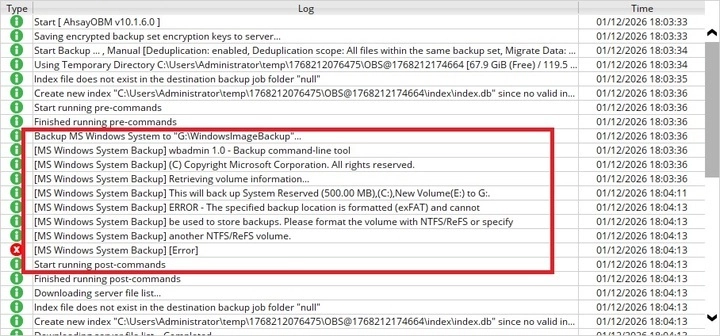
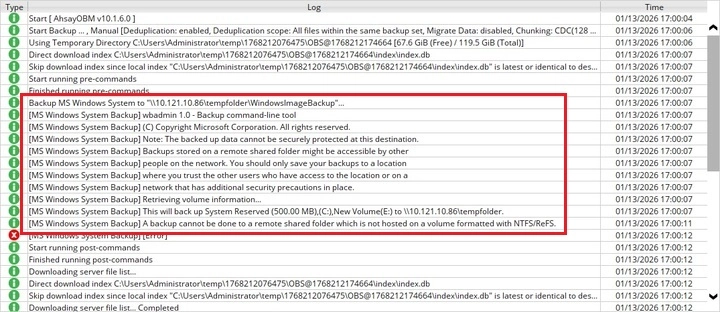
For v10.1.6 and above, this is the error message displayed:
If the temporary location is on a local drive.
If the temporary location is on a network drive.
Cause
This issue will occurs if the network shared temporary volume configured for the backup set is not NTFS/ReFS formatted.
The volume selected for temporary location must be formatted NTFS/ReFS because Windows Server Backup uses shadow copies to maintain backup versions.
Resolution
To resolve the issue, convert the corresponding hard disk or partition to the NTFS/ReFS file format (https://technet.microsoft.com/en-us/library/cc730863.aspx).
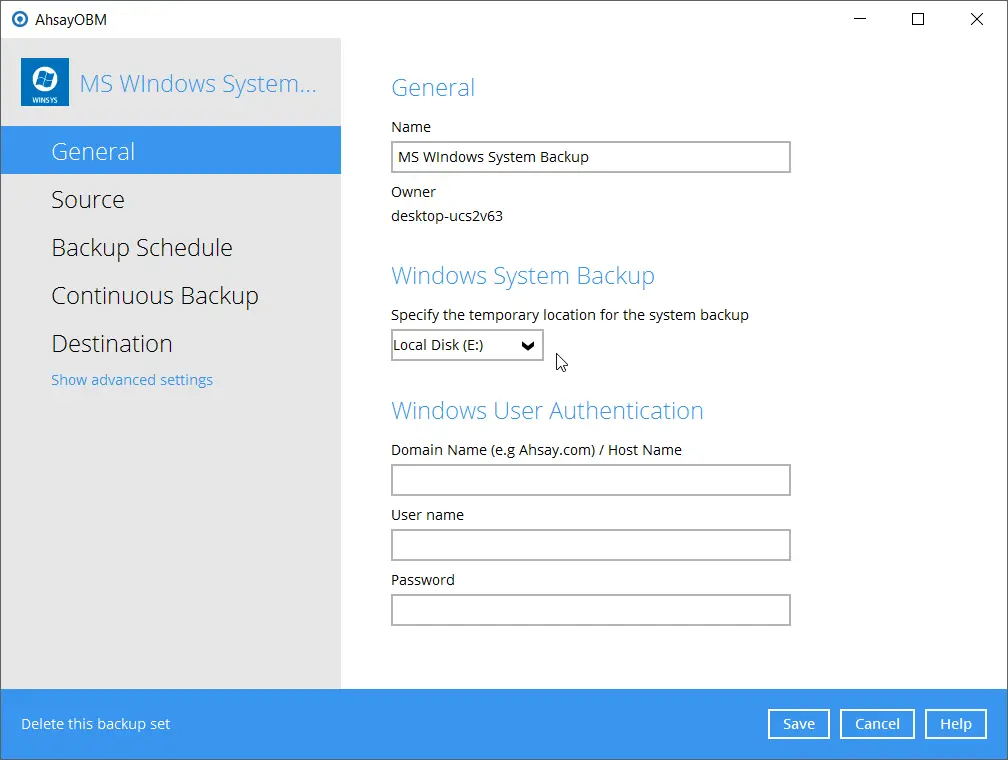
Alternatively, modify the temporary location for the backup to another volume that is in NTFS/ReFS file format.